







Why Every Race Announcer Should Have the TrackTune App Open
When you are behind the microphone on race day, you know exactly what you are saying. But do you know what TrackTune listeners are hearing?
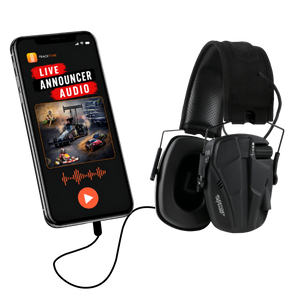
TrackTune delivers live race announcer audio directly to fans through their mobile devices. That gives fans another way to hear and follow the event when engines, crowds, and other track noise make the traditional PA difficult to hear.
For announcers, keeping TrackTune available on a separate phone or mobile device can provide a simple way to check the listener experience during an event.
Hear What TrackTune Fans Hear
An announcer spends most of race day behind a microphone, usually monitoring the sound system from inside the booth. That is a very different environment from what a fan experiences in the grandstands, pits, or other areas of the facility.
Opening the TrackTune app and selecting your track or event gives you another perspective: the live announcer feed being delivered through TrackTune.
A quick listen can help confirm that your voice is reaching the TrackTune stream and give you a better sense of the audio fans are receiving.
Make a Quick Audio Check Before Racing Starts
One of the best times to check TrackTune is before the first race.
Once your track has started its TrackTune stream, use a separate mobile device to select the event and listen briefly to the live feed.
Speak into the announcer microphone as you normally would and confirm that your audio can be heard through TrackTune.
This does not replace the TrackTune setup process or race day technical checks. It simply gives the announcer an additional way to hear the stream from a listener's perspective.
Monitor the Fan-Side Audio Experience
TrackTune is built around live announcer audio. That makes the quality of the announcer feed an important part of the fan experience.
Checking the app during natural breaks in the program can help an announcer understand how the broadcast sounds outside the booth.
You may want to listen during:
- Pre-race announcements
- Driver introductions
- Practice or qualifying
- Intermissions
- Other natural breaks in the racing program
The goal is not to constantly listen to yourself while announcing. Instead, use TrackTune for occasional checks when the race schedule allows.
Spot a Potential Problem Earlier
If you expect announcer audio to be available through TrackTune but cannot hear it on your test device, that gives your team a reason to check the setup.
There may be a simple explanation. The event may not be live yet, the wrong event may have been selected, or another part of the setup may need attention.
The TrackTune app should not be treated as a replacement for official setup instructions or technical support. But hearing the same stream your fans receive can provide useful information when something does not sound right.
Keep the Test Device Separate From Your Microphone
There is one practical consideration when checking a live audio stream: avoid creating feedback in the announcer booth.
Use headphones or keep the monitoring device at an appropriate volume and away from the live microphone. A separate phone or tablet can also make it easier to perform a quick check without interfering with the device being used for other race day responsibilities.
Add It to Your Race Day Routine
A quick TrackTune check can become another simple item on the announcer's pre-race routine.
Start the TrackTune stream using your normal setup process. Open TrackTune on a separate device. Select your track or event. Listen briefly to confirm that the announcer feed is coming through.
Then get back to what matters most: calling the race and keeping fans informed.
Better Information Starts in the Booth
TrackTune helps deliver live announcer audio directly to race fans. Keeping the app available in the booth gives announcers an easy way to experience that stream from the listener's side.
It is a small addition to the race day routine that can help announcers stay aware of what TrackTune listeners are receiving.
Learn more about How TrackTune Works or visit TrackTune for Race Fans to see how fans use TrackTune at the track.


