





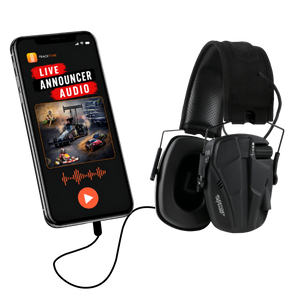


Live Announcer Audio Streaming Service
Live Announcer Audio Streaming Service
Regular price
$395.00 USD
Regular price
Sale price
$395.00 USD
Announcer audio sent straight to fans' and teams' smartphones - no PA limitations.
The TrackTune Track Kit makes it easy to send your live announcer audio straight to the TrackTune app so fans can hear every call clearly, anywhere around the track.
Unlimited Streaming service
$395.00 per year
No contracts. Cancel anytime.
Couldn't load pickup availability
TrackTune Requires TWO Components
CLICK HERE TO PURCHASE THE HARDWARE KIT

What’s Included in the Track Kit
Hardware
- USB audio interface
Converts your announcer audio into a digital stream for TrackTune - XLR splitter cable
Allows TrackTune to connect without interrupting your PA system - XLR patch cable
Used when connecting directly to a soundboard output - USB cable
Connects the audio interface to your computer - USB to USB C adapter
Included for newer computers
Trackside signage
- Two 3 ft x 5 ft TrackTune banners
- Two 3 ft x 8 ft TrackTune banners
The banners help fans know how to listen during the event. View trackside signage examples
How It Works
1
Connect the TrackTune kit to your announcer audio
Use either your soundboard output or microphone feed.
2
Log in to TrackTune and start your event
Streaming starts with a single click.
3
Fans listen on the TrackTune app
Clear announcer audio delivered in real time.
Setup Takes About 10 Minutes
- Two installation options depending on your setup
- No changes to your existing PA system
- Most tracks are live the same day they receive the kit
- Installation Manual: View the Track Kit Installation Manual (PDF)
Requirements
- An existing PA system or announcer microphone
- A computer in the announcer booth
- Internet access in the booth
- An active TrackTune streaming service
What Happens After You Order
- Your TrackTune Track Kit ships to your facility
- You receive setup instructions and access to the TrackTune dashboard
- Our team is available to help you get live and answer questions
Most tracks are ready to broadcast in a single session.
Give Fans a Better Way to Hear the Race
The TrackTune Track Kit gives fans clear access to announcer audio without changing how you run race day.